 Return YouTube Subscribers
See the real subscriber count.
YouTube rounds every subscriber count. This free extension puts the exact number back on channel pages, under videos and in search results.
Free and open source. No account, no tracking.

Everywhere YouTube rounds, you get the full number.
It keeps working as you click around YouTube, with no reloads and nothing to set up.
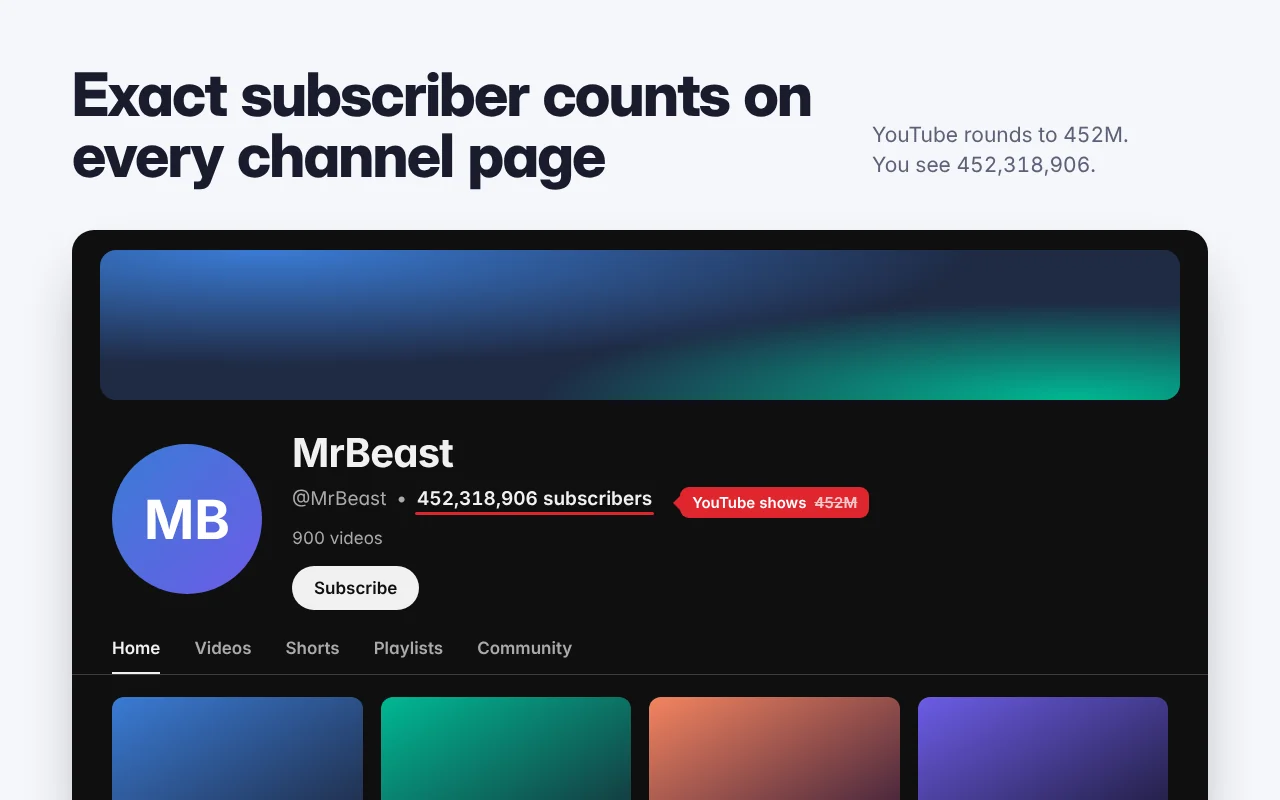
Exact counts in these screenshots are illustrative; the extension shows the live estimate.
How it works
YouTube stopped publishing exact counts in September 2019. Channels in NextCounts' Unabbreviated Project share their real count from YouTube Studio; for every other channel the extension shows a live estimate from Mixerno.space.
You open a channel or video
The extension reads the channel's public ID from the page.
One lookup
Only that ID is sent: to
nextcounts.comif the channel shares its real count, otherwise tomixerno.spacefor an estimate.The exact number appears
It replaces YouTube's rounded figure in place, styled to match.
- No account or sign-in
- No analytics or tracking in the extension
- Source code on GitHub
Install
The same version ships to every browser at the same time.
-
Add to Chrome
Chrome
Chrome Web Store, also works in Brave and Vivaldi -
Add to Firefox
Firefox
Firefox Add-ons -
Add to Edge
Microsoft Edge
Installs from the Chrome Web Store -
Add to Opera
Opera and Opera GX
Installs from the Chrome Web Store -
Coming soon
Safari
Mac App Store version in progress. Until then, use the userscript with the free Userscripts app. -
Install userscript
Userscript
For Tampermonkey, Violentmonkey or Userscripts. Updates itself.
Questions
Are the counts exact?
For channels in NextCounts' Unabbreviated Project, yes: the creator connected YouTube Studio, so you see their real count. Every other count is a live estimate from Mixerno.space, which usually lands within a small margin of YouTube's internal number. Hover any count to see which one it is.
I'm a creator. How do I show my exact count?
Join NextCounts' Unabbreviated Project and connect your YouTube Studio. Everyone using Return YouTube Subscribers will then see your real count instead of an estimate.
Why did YouTube start rounding?
In September 2019 YouTube began abbreviating every public subscriber count, on the site and in its API, to three significant figures. A channel showing 452M could have anywhere from 452,000,000 to 452,999,999 subscribers.
What data does the extension send?
Only the public ID of the channel you're viewing, sent to NextCounts or Mixerno.space to look up its count. It has no analytics, sends nothing about you, and has no account. Details are in the privacy policy.
A count isn't showing. What should I do?
YouTube changes its layout often. Reload the page first. If it still doesn't work, tell us in the Discord or open a GitHub issue with the page you were on.
Does it work on the YouTube mobile app?
No. Browser extensions can't run inside the YouTube app. It works on youtube.com in desktop browsers.
Comments